Session: an hour and a half, the first time. You need: a Base44 account with a Builder plan or higher, Claude or ChatGPT, and a test site; for a real site, stage 19 already done.
Base44 is a service for building websites and web applications by describing them in words: it has an assistant of its own inside the editor, and it can also be driven from Claude or ChatGPT with a connector. Libro Vivo, this guide's website, runs on Base44 and is kept alive that way: articles get published, pages get corrected, and the manual you are reading was uploaded to a test version of the site, all from a conversation with Claude (stage 16). The stage tells how, because the act holds for any service driven the same way.
1. Connecting the service
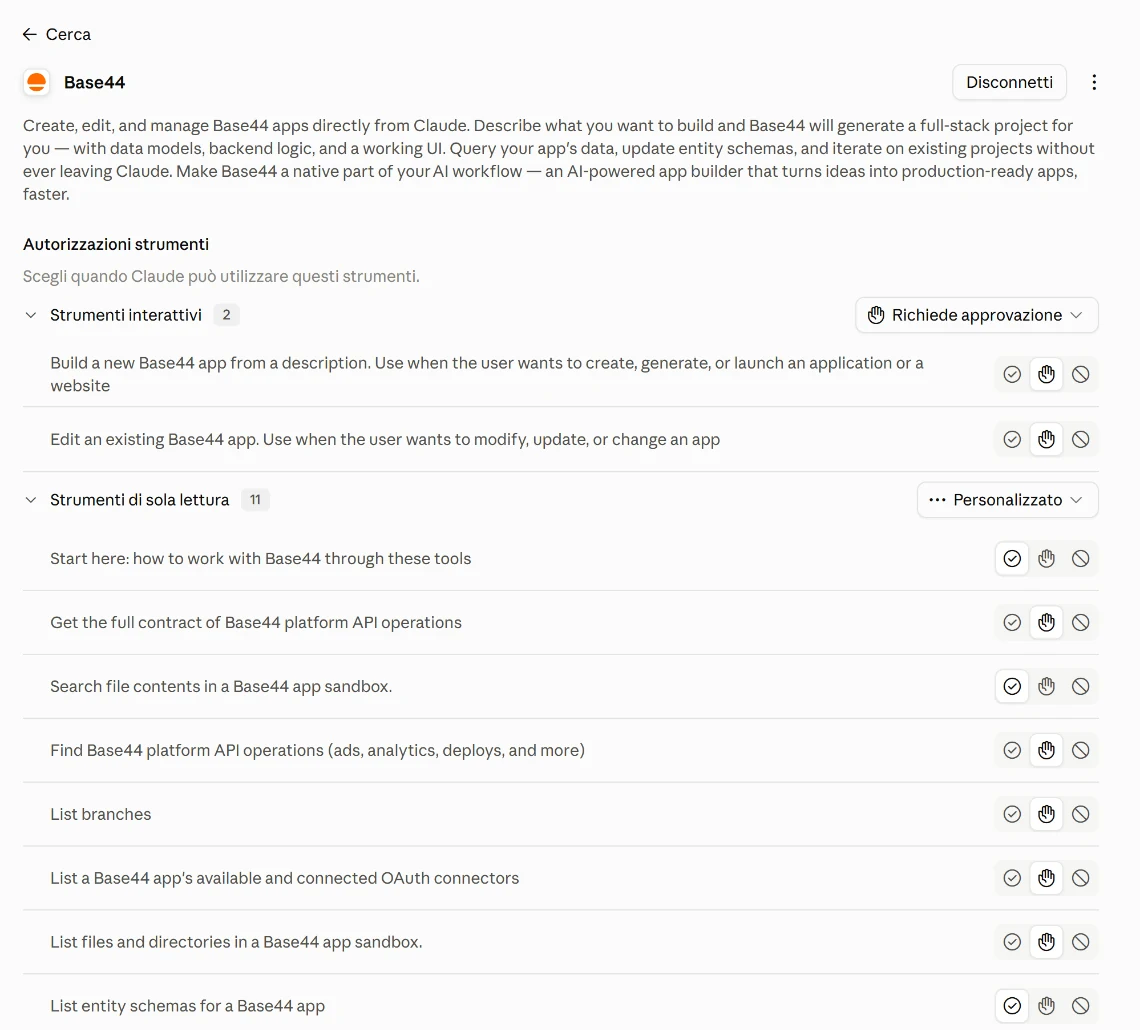
Base44 provides an MCP server at app.base44.com/mcp: in Claude and in ChatGPT you add it as a connector and sign in once with your account. On first sign-in you choose the workspace, personal or team, and the connection stays tied to that one. The model acts with your permissions: if in the team workspace you are only a reader, it cannot change anything.
2. Two ways of changing the site
The model can ask Base44's assistant for the change, describing it in words, or work directly on the site's code. For a change of content, a text, an article, a new page, the first route is enough. The second is for when you want to know what changed line by line: it's the one I use for Libro Vivo, because every change can be reread.
3. Working on a branch
Before touching the real site, ask it to work on a branch, a copy of the site that is not visible to the public: "Create a branch called test-contacts and work only there." You look at the changes in the branch preview, and the public site stays as it was until you merge the branch and publish. It is the step that separates a test from a mistake in public.
4. The change and the preview
"On the Contacts page add a form with name, email and message, which saves the messages in a table. Do not touch the other pages. At the end give me the preview link and the list of files you changed." Open the preview on the computer and on the phone, try the form with made-up data, check that the message arrives in the table. The list of changed files is the attribution check applied to code: if there is a file that has nothing to do with it, ask why.
5. The restore point, then publishing
When the preview is right, ask for a restore point: in Base44 it is called a checkpoint, and only checkpoints appear in the version history. Whatever was saved after the last checkpoint is lost if someone restores a previous version. Then publishing: do it yourself, or ask for it only after you have seen the preview. The rule of step 2 of stage 16 holds here more than anywhere: reading yes, publishing with your go-ahead. The site also has data, users, messages, sign-ups, and the connector reads and changes them: Base44 warns that changing a table's schema deletes the fields that are not named. On real data you work with a checkpoint just made.
What you just saw
The model acted on an external service, through a connector that gives it real actions: create, change, publish. It is the delegation of stage 19 on a more exposed perimeter, a website that others see. The checks are the usual ones, placed before anything goes out: the copy, that is the branch; the check, that is the preview; the approval, that is the publishing done by you.
In the book. Appendix Q "How the Model Context Protocol works", page 262, for the round trip of a call between the model and the service; chapter 4, section 4.4 "The harness: the set-up around the model", page 89. The book on Amazon.
Base44 is in the list under Customize > Connectors: you search for it by name and sign in to Base44 once. For the actions that build or edit an app, set them to ask for approval, as in step 2 of stage 16.
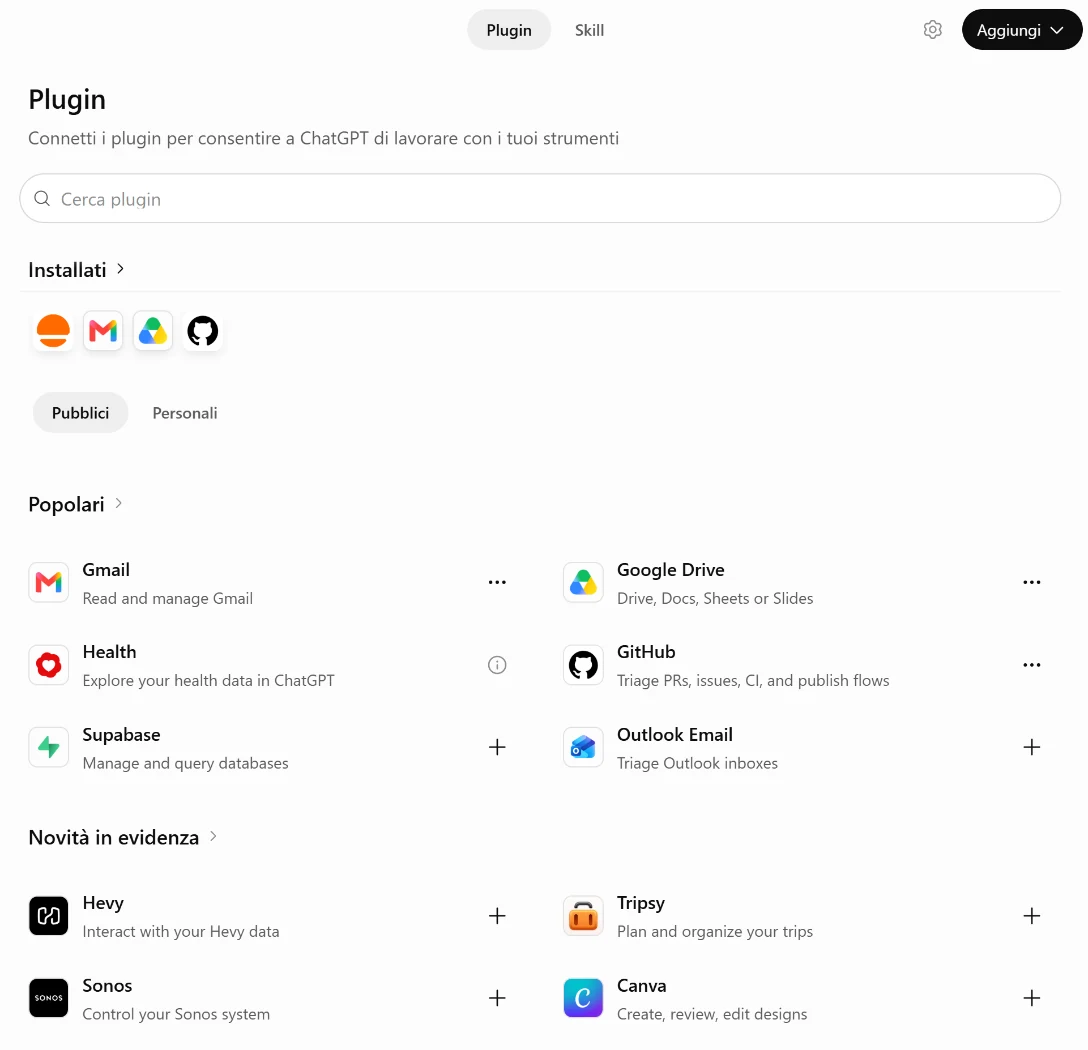
Base44 appears in the plugin catalogue, Plugins item in the left-hand menu; you connect it from there, signing in to Base44. The plugin contains the connection and five skills that explain to the model how to work with Base44. The same default permissions as in stage 16 apply.
Base44's guide names Claude, ChatGPT and Cursor among the tools that connect; Copilot is not among them.
Base44's guide names Claude, ChatGPT and Cursor; Gemini, like Copilot, is not among them.