Session: an hour. You need: a work question about a recent fact in your field. Web search is in all the free plans; the deep research of step 4 is available in full only in the paid plans.
When the model searches the web, its knowledge goes beyond the weights and beyond the conversation: it's the external memory of stage 10. The result looks the same, the chatbot "knows" something, but the way it goes wrong changes. On a document you gave it, the typical error is attribution: something true put in the mouth of the wrong page. On a source it went out to find, the typical error is existence: the source isn't there, or it is there and says something else.
1. The same question, with and without search
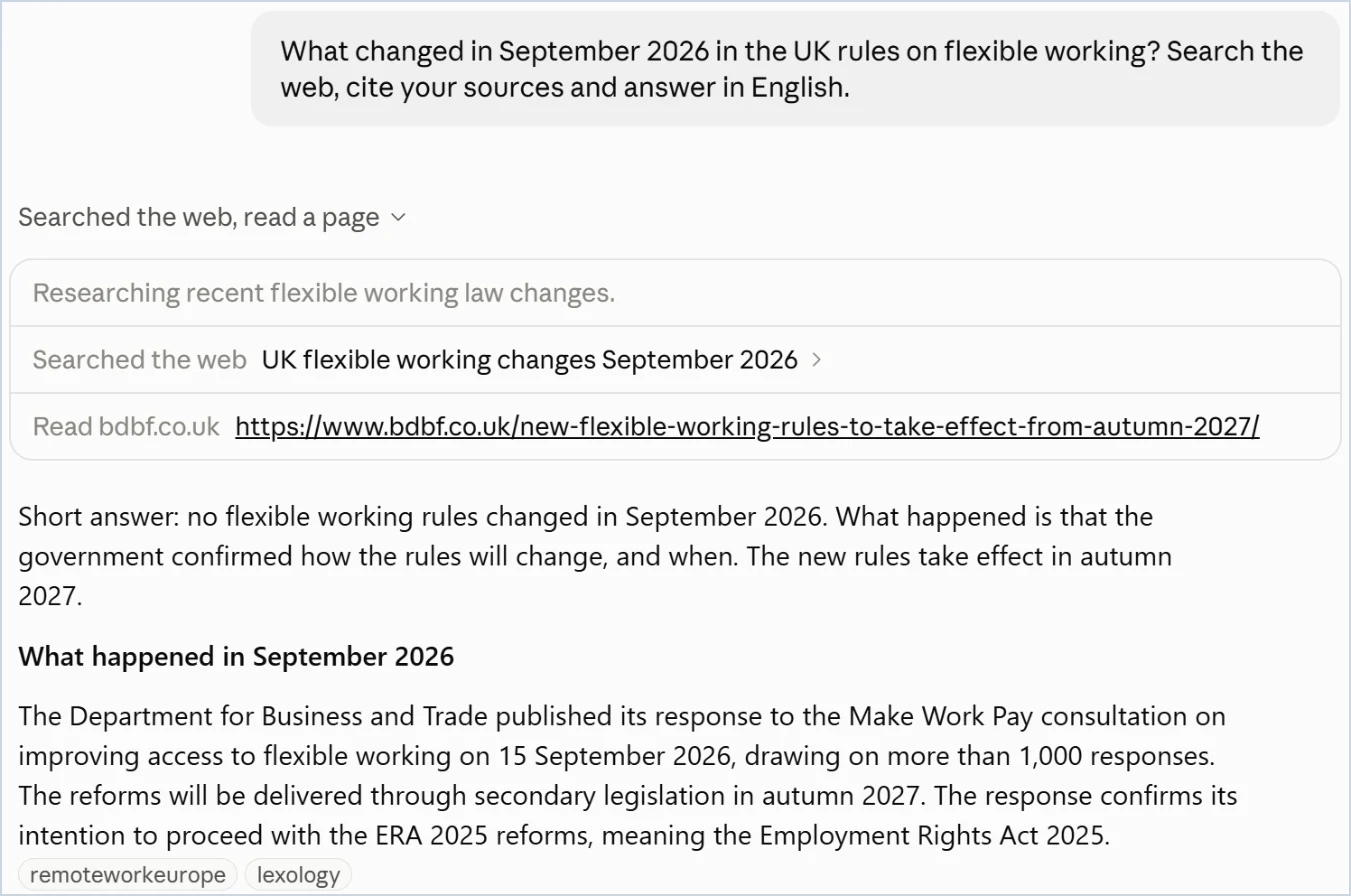
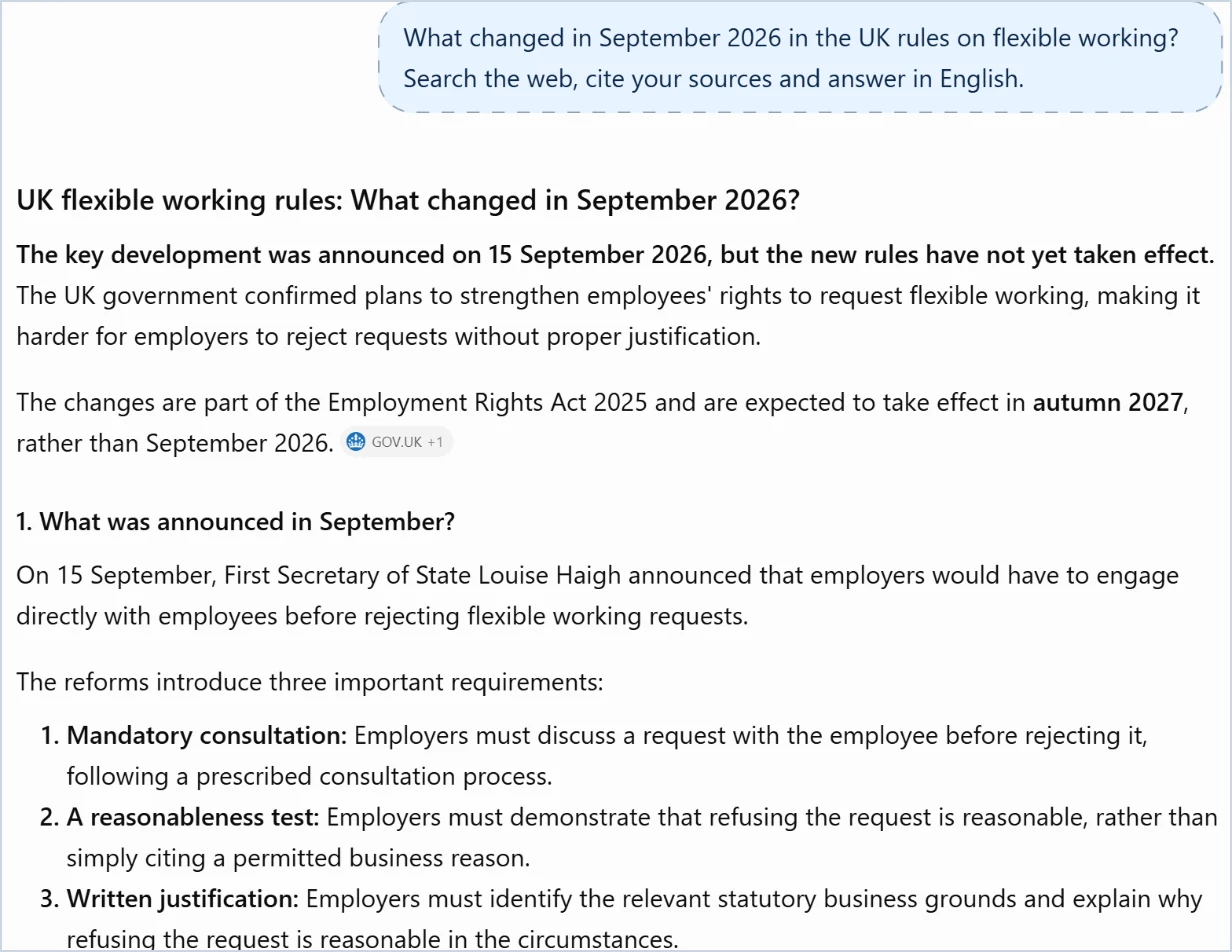
Ask a question about a fact from the last few weeks: "What changed in September 2026 in the rules on [a topic from your work]?" First with search turned off, if your tool allows it, then turned on. Compare: the remembered answer has no links, stops at a date or guesses; the searched one brings links to specific pages and recent dates.
2. The sources, read one by one
Open three links from the searched answer. For each, four questions in order: does the page exist? Is it the one cited? Does it say what the model reports? How old is it, and is it the original source or someone repeating it? One no is enough to remove that statement from the answer.
3. The list of reliable sites
From here the example is a market study, which continues in stages 18, 19 and 20. Before asking anything, write the list of sources you trust for that market yourself: the national statistics office, Eurostat, the trade association, the industry observatory, the accounts of listed companies. You decide which sources are reliable, with your knowledge of the sector; the model uses them. Save the list in a file, with the address of each site and a line on what you find there, and put it in the project from stage 12.
4. Deep research, only on those sites
The same tool searches in two ways, and knowing which one you are using matters more than the question you ask. Take one question and ask it three times.
Without touching anything. Write in the normal chat: "How many electric cars were registered in Italy in September 2026, and with what share of the market?" The model decides: if it judges that it knows, it answers from the weights, in a second, with no links, with a figure that may be a year old or invented; if it judges that it has to search, it runs a few queries, opens a few pages and answers in a few seconds with two or three links. The problem is that you don't know in advance which of the two it will do, and the answer from memory and the searched one look the same: the difference shows only in the links.
With search switched on. Same question, but first you choose web search from the tools menu next to the box (the name varies little from one tool to the next). The model searches for certain. The depth, as far as one can see, is the same as in the previous case when it had decided to search: a few seconds, a few links. The button is there to take the choice away from it, and it is the right move whenever the question concerns something that may have changed after the date of the weights (stage 10, step 1): a price, a rule, last month's figure, who holds a post.
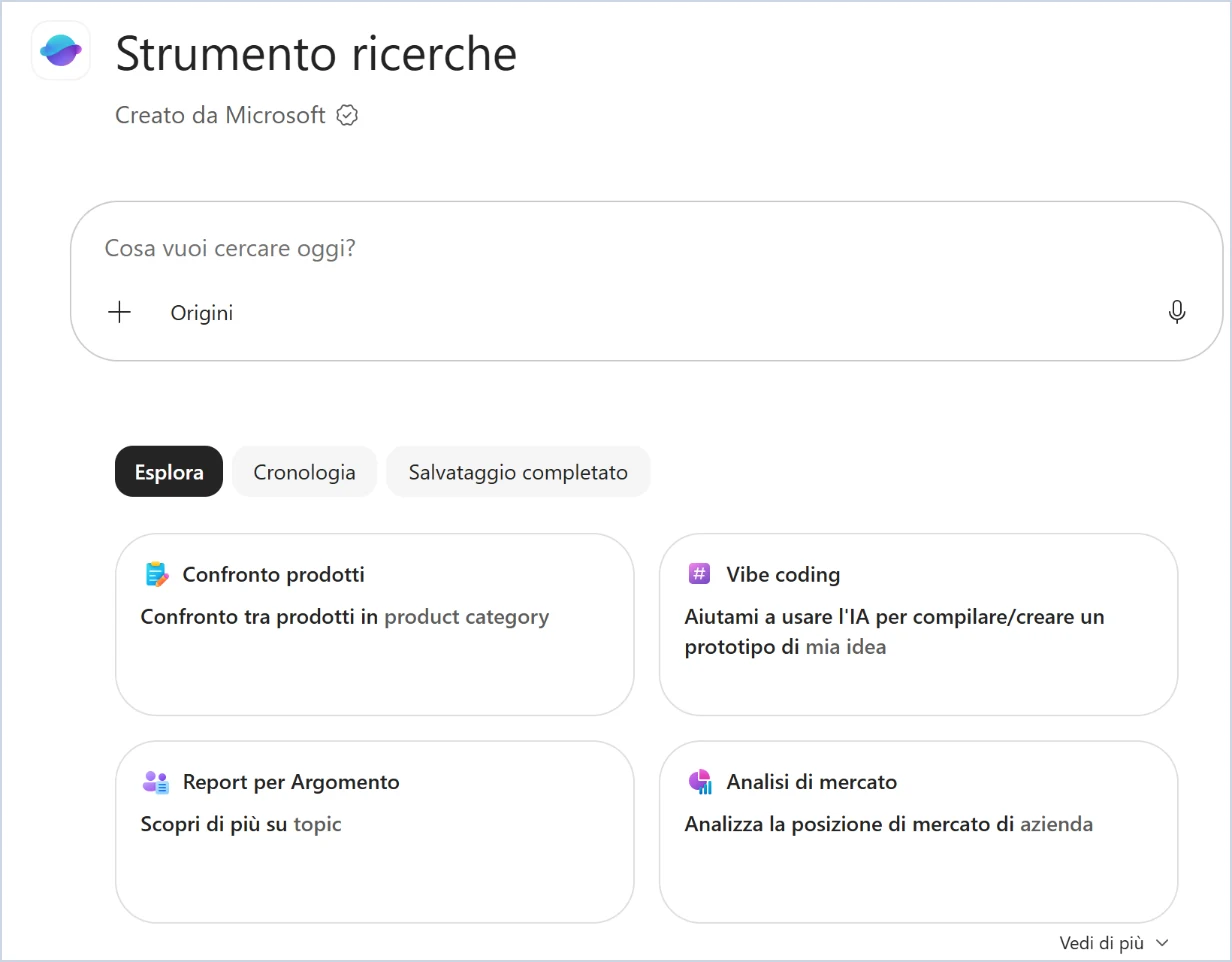
With deep research. Here the process changes, not the button. The model makes itself a plan, runs dozens of queries, reads the pages, compares, reformulates, and after some minutes delivers a report several pages long with the list of sources. It never starts on its own: if you don't switch it on, even the longest and most detailed request produces a quick search with a long answer, that is fewer sources, no cross-checking and estimates where data is missing. How you switch it on varies. In Claude, in ChatGPT and in Gemini it is a mode of the normal chat: you choose it from the same tools menu and write the request as usual. In Copilot it is a separate agent, Researcher: you open it from the Agents pane, or type "@" in the box and pick it from the list (stage 14, "At sign and slash"), and you address the request to it.
The table says how to recognise which of the three you got.
| Answer from the weights | Quick search | Deep research | |
|---|---|---|---|
| Time | A second | A few seconds | Minutes |
| Sources | None | A few links | Dozens, in a list |
| Form | An answer | An answer with links | A report, with a section for the sources |
| When it's right | Stable things: definitions, how something works | A recent fact, a specific check | An overview from many sources, with data to cross-check |
| The risk | An old figure stated with confidence | A source misread | An estimate in place of a missing figure |
For a question that needs many sources, like the market research of this stage, you need the third. It works better the more the question has a boundary, and the tightest boundary is the list from step 3:
I need an overview of the Italian electric car market in the first nine months of 2026. Use only the sources in this list: [paste the list]. For each figure give the value, the period and the link to the page it comes from. If a figure isn't in these sources, write "not found" and don't look for it elsewhere. I need: registrations month by month, share of the total market, the top five brands. Flag the figures for which you found only one source and those where two sources don't match.
The "not found" instruction counts as much as the list: without it, a missing figure gets filled with an estimate that looks exactly like a published figure.
5. The report, read from the bottom
Start from the list of sources. Check in full the facts that would change a decision of yours, usually three or four. On the rest, check a randomly drawn sample: if you choose what to check, you check the parts written oddly, and the dangerous errors are written very well.
6. Keep the work
Save the report with your checks next to it, and put it in the project from stage 12 together with the list of sources. Mark the figures the report gives as "not found" because the site only shows them on screen: those are the ones you'll have the browser collect in stage 18.
What you just saw
The model works well on what you put in front of it and worse on what it has to go and find, and checking costs accordingly: opening a document you already have costs little, tracing back the chain of a source found outside costs a lot. Chapter 5 describes external memory in the section "The memory of LLMs"; chapter 7 explains invented sources in the section on hallucinations; chapter 9 says where and how much to check in the sections "Which activities stand up to delegation" and "Who verifies, and what".
In the book. Chapter 5, section 5.3 "The memory of LLMs", page 98; chapter 7, section 7.1 on hallucinations, page 118; chapter 9, sections 9.3 "Which activities stand up to delegation" and 9.5 "Who verifies, and what", pages 142 and 146. The book on Amazon.
Web search is turned on from the "+" button at the bottom left of the chat, under "Web search", and answers carry direct citations and links to the sources. In the Team and Enterprise plans an administrator has to enable it first. In the new Claude experience the toggle is gone: it searches the web when needed. Deep research is called Research, "Ricerca" in the Italian interface, is in the paid plans and is started from the same "+": it works for a few minutes, returns a report with citations, requires web search to be on and, if you've connected them, also consults Gmail, Google Calendar and Google Docs. The guides I read don't describe a setting to restrict the search to a list of sites: the list goes in the instruction, and the check in step 5 becomes more important.
Search is in the free plan. Deep research is started by typing "/Deepresearch", from the "+" menu or from the sidebar; the number of research runs depends on the plan and a counter shows how many are left. The report has a table of contents, the list of sources and the activity history. You can restrict the search to the sites you specify, or give them priority while leaving the rest of the web open: for step 4 that's the setting to use.
Copilot Chat grounds its answers in the web, if web search is enabled in your organisation. Deep research is an agent, Researcher, called "Strumento ricerche" in the Italian interface, which you find among the Agents in the Microsoft Copilot app: it works on the web and on the work content you have access to, files, mail, meetings and chats, within the existing permissions, and returns a report with the sources cited. The Microsoft page I read doesn't say which licence you need: ask your IT department.
Web search is on by itself, with the links at the bottom of the answer. Deep research is called Deep Research, sits in the "+" menu, and is in the free plan too, with its limits; the paid plans give it with more usage. You write the list of reliable sites in the request as in the other tools, and you open the sources one by one.