Session: half an hour to set it up, then ten minutes for each run. To see the result: two or three months, because the check on the trajectory happens once a month. You need: the task from stage 19, run at least three times with verified results, and a plan that includes scheduled tasks (in Claude from Pro, in ChatGPT from Go, in Copilot with the licence).
A task that comes back the same every week doesn't need you to ask for it every week. Today you turn it into a scheduled task: it starts on its own, at a fixed time, and hands you the result to review. The hard part is deciding where the check sits, and what stays with you.
1. Instructions that stand on their own
Reread the brief from stage 19 as if a colleague who has never seen you work were reading it. Remove every reference to "today" or "last week" that depends on you, and write down where to find everything. A scheduled task starts without you: every ambiguity becomes a choice the system makes in your place.
2. The schedule and the destination
Pick a day and a time, and decide where the result lands: a file in a folder, a draft email, a document in the project. For the market note, pick a day of the month after the date when your sources publish the previous month's data: you'll find it on their websites. A draft, not a send: the first rule of controlled autonomy is that the system prepares and you approve before anything goes out.
An example to copy: the morning press review
The press review is the most common repeated task, and the easiest to get wrong: a vague request produces every morning a list of headlines picked up wherever they happen to be. A good set-up has three parts, and you have already made the first two. The sources: the list of websites you trust, written in stage 15, with one line per site saying what you look for there. The brief: written so that it stands on its own, as in step 1. The destination and the time: as in step 2. This is the brief, to adapt and paste into the task:
Every morning from Monday to Friday at 7, prepare my press review on [your topic: the sector, the market, the rules you follow]. Sources: only these websites, no others: [list, one site per line, with the address]. Period: the last 24 hours; on Mondays, from Friday morning. For each news item: a one-line headline, two lines of content with the data that matter (dates, figures, names), the source and a link to the original page. Order by relevance for [my role], the most relevant first, ten items at most. At the top, one line: "To read in full today: [the items that change a decision, if there are any, otherwise none]". If there is nothing new on a site, write "nothing new" next to the site's name: do not pad with old news or news from other sites. No comments, no forecasts. Deliver as [a draft email to myself / a message in this chat].
Three lines of this brief set it apart from an ordinary request, and it pays to know why. "Only these websites, no others" is the perimeter: without it, the model fishes wherever it finds something, and a press review made of aggregators brings you news already picked up three times over. "Nothing new next to the site's name" shows you every morning what it has actually checked, and takes away the temptation to pad. "To read in full today" is the check on each step, ready made: the items that sit there you open yourself, from the source; the others you skim.
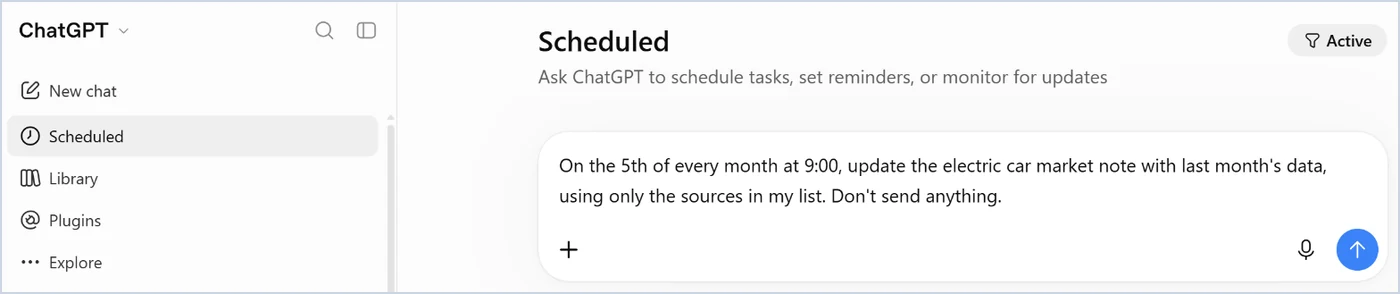
The tool decides the destination. In Claude, with your email connected (stage 16), the task can prepare a draft email to yourself or send it to you: that's how the weekly reports of the person who wrote this guide arrive. In ChatGPT the result arrives as a notification, push or email, according to Settings > Notifications; scheduled tasks are in all plans, three active in the free plan and in Go, five in Plus (OpenAI page read on 25 October 2026). In Copilot the scheduled prompt delivers in the chat. In Gemini the "Scheduled" item is there, but as of 25 October schedules are not available in the European Economic Area.
In the first few days read everything and correct the brief at every gap: a site that is not read, a duplicated item, a changed headline. After a week it should stand on its own; from then on the checks of steps 3 and 4 apply. And once a month open three of the sites by hand and compare them with the press review: it's the only way to know what it did not bring you.
3. The check on each step
At every run, review the result before you use it, with the check you wrote in stage 19: the facts that change a decision in full, the rest by sampling. This is the check the books call human in the loop, and it works as long as you actually do it: when the result is right ninety-five times out of a hundred, on the ninety-sixth you stop reading and approve.
4. The check on the trajectory
Once a month, reread three results in a row and the status file from stage 13, and ask yourself where the work is heading: is it still what you wanted? Twenty results approved one by one can add up to a direction nobody approved. If the model version or the kind of data going in changes, go back to the full check for one round.
5. What stays yours
Keep one question written down where you can see it: what happens to this piece of work if the model gets it wrong and nobody notices? If the answer is nothing, delegate and forget about it. If it's something, delegate and verify, with a check that has a name, a duration and a person. If it's that we'll find out in three years, keep it. And three acts stay yours in any case: understanding what the person who asked wants, deciding, and answering for what goes out.
What you just saw
A system that works over time needs two checks: one on the single step and one on the overall direction, like the reviewer who signs every sheet and the project manager who asks now and then how far along you are. Chapter 6 describes them in the section "From episodic agents to long-running agents" and tells, in "The four pillars", about the system that keeps this book alive: a scheduled task rereads every month the pages linked to the QR codes and prepares the updates, which go on the website only after the author has read them. Chapter 9 closes with "What stays yours".
In the book. Chapter 6, section 6.5 "From episodic agents to long-running agents", page 110, and section 6.2 "The four pillars of Agentic AI", page 105, with the system that keeps this book alive; chapter 9, section 9.11 "What stays yours", page 160. The book on Amazon.
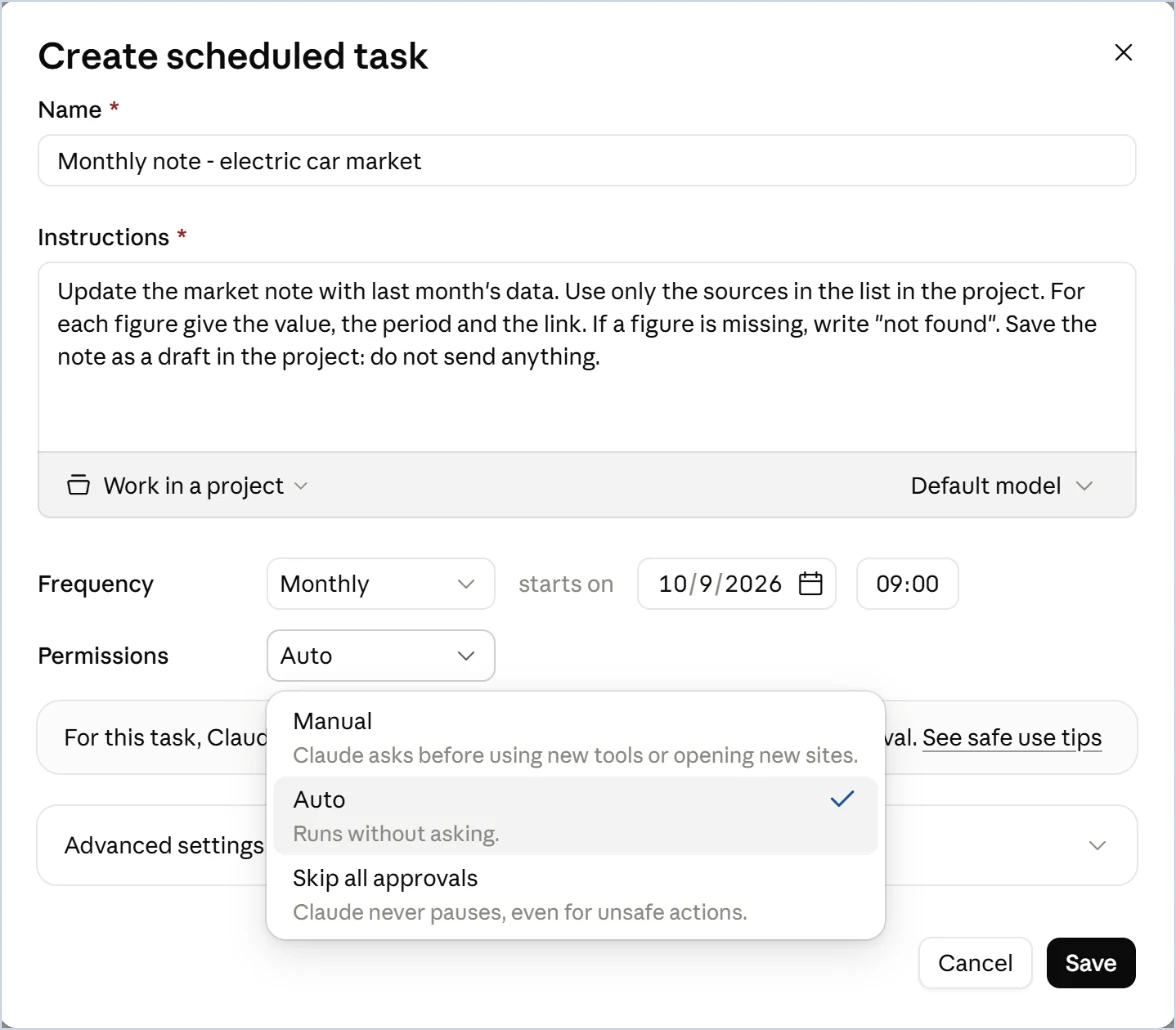
Scheduled tasks are in the Pro plan ("Hand off and schedule tasks"): you just ask Claude to run a task on a schedule, for example an email summary every Monday morning. According to Anthropic's help guide they run in the cloud and don't need the computer switched on or the app open; another guide warns that tasks that use files or apps on the computer need the desktop app open. From 6 October 2026, in the Pro and Max plans, new tasks run in the cloud and the option to run them only on the computer goes away. Before you hand over a task that reads a local folder, try one run with the computer switched off. In the "Create scheduled task" window the Permissions setting has three modes: Manual, which asks for permission before using new tools or opening new sites; Auto, the default, which acts without asking for confirmation; Skip all approvals. For your first task, Manual is the better choice.
In Work, tasks can start once, on a fixed schedule, or when an event happens in a connected app. In Enterprise and Edu workspaces, event-triggered tasks must first be enabled by the administrator. According to the pricing page, scheduled tasks start from the Go plan.
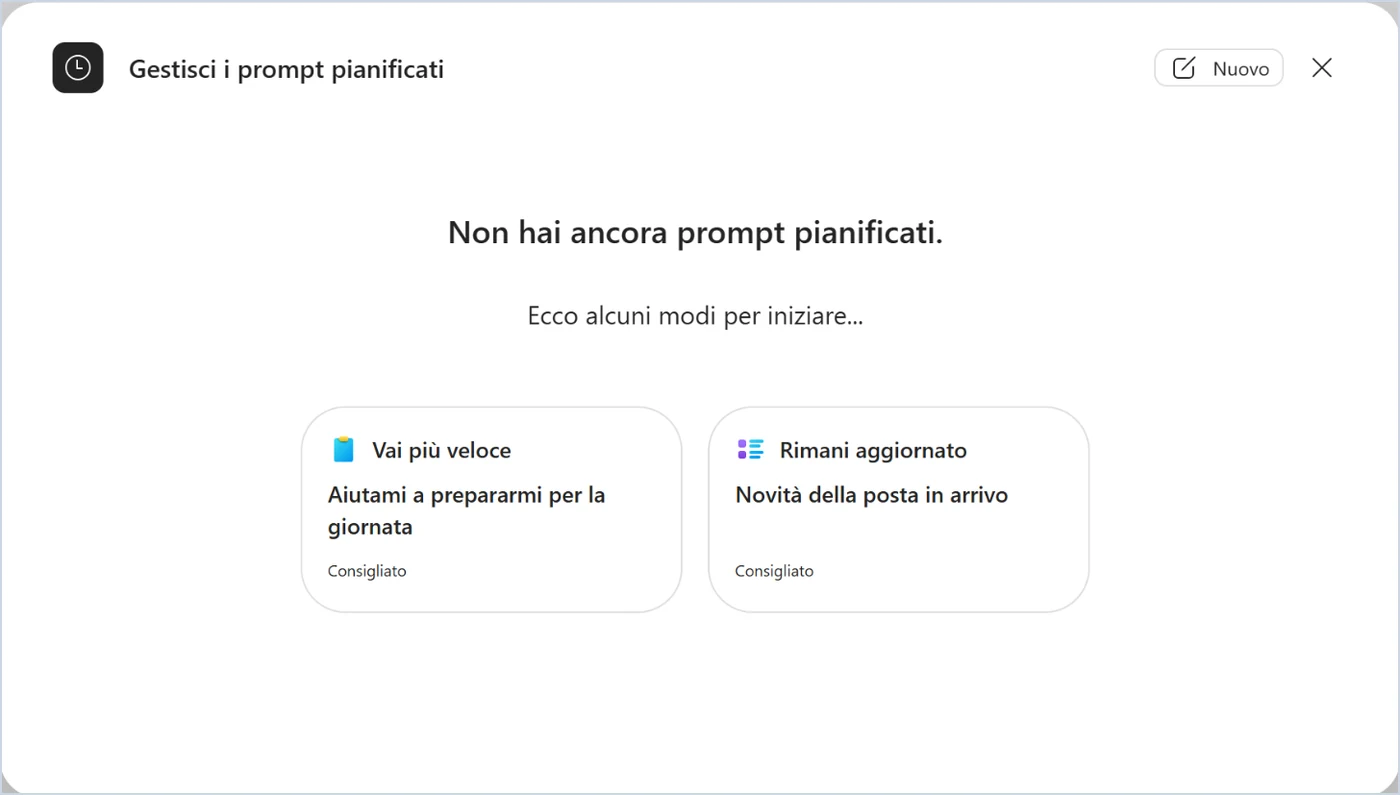
In Copilot Chat, scheduled prompts are in the three-dots menu at the top right, under "Scheduled prompts". In Copilot Cowork, with the Microsoft 365 Copilot licence, you set up scheduled requests and, since August 2026, tasks that start when an email or a Teams message arrives that matches a rule. The Microsoft page I read doesn't describe how you approve actions before they go out: you have to try it on screen.
The item is in the side menu, "Scheduled": tasks at a fixed time, checks on your email and on a topic, up to fifty active. Google's help guide, read on 25 October 2026, reserves them for the AI Pro and Ultra plans with a personal account and "Keep activity" switched on, and says they are not available in the European Economic Area or with work or school accounts. As long as that stays the case, for this stage use one of the other three.