Session: half an hour. You need: a work document a few pages long, chosen after the first step; if you have none you can upload, the test text you will find at the end of step 1.
So far the model has worked on what you wrote to it. Today you give it a document and have it do three jobs: a summary, the questions of a critical reader, the weak point. First, though, decide what can leave your computer.
1. Before uploading
Three questions. Whose data is this. What does the contract with the tool's provider say about what I send it. What happens if it stays there. Keep two categories apart: confidential data, which does damage if it gets out (an offer, the margins, the client who is about to leave), and personal data, which concerns an identifiable person and is regulated by law. If the document already carries a classification, that decides. If you have doubts, work on an extract, replace the names before and put them back after, remove the column that makes the rest recognisable. If you work with the office tool, first read the fact sheet "If the tool comes from your office", at the end of the guide: your organisation has already largely answered the second question.
If after the three questions you have no document you can upload, use this one, which is made up and can be copied into the chat as it is; the three requests of steps 2, 3 and 4 work just the same:
The municipal library is running a free read-aloud workshop on Saturday 24 October 2026, from 10 to 12, in the room on the first floor. There are 20 places. You sign up by 20 October by writing to the office. Participants bring a notebook. The workshop is led by a volunteer reader and is repeated, if there is demand, on the following Saturday.
On this text a good summary gives date, time, places, sign-up and notebook, and leaves uncovered what the text does not say: the minimum age, the accessibility of the room, whether children can come. If the answer writes "open to all ages", it has added a fact that is not there, and that is the check in step 5.
2. The summary, with the evidence
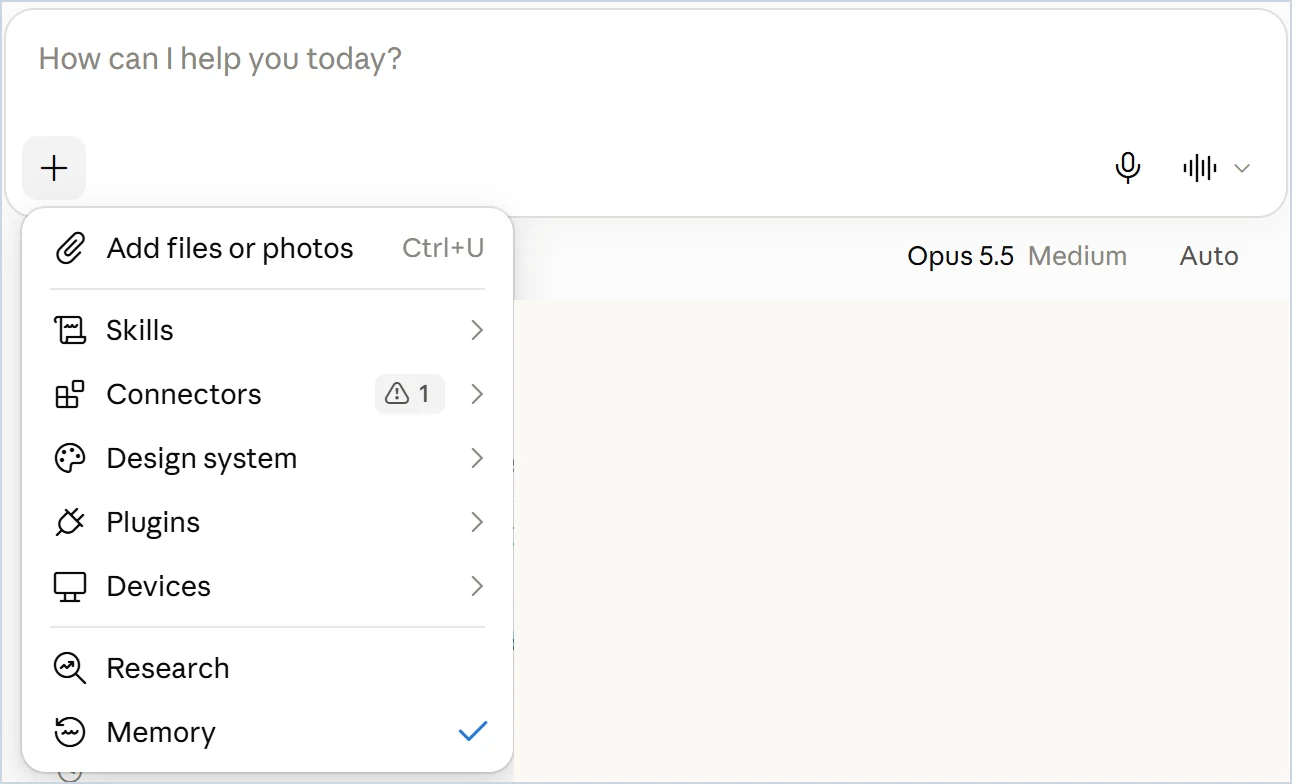
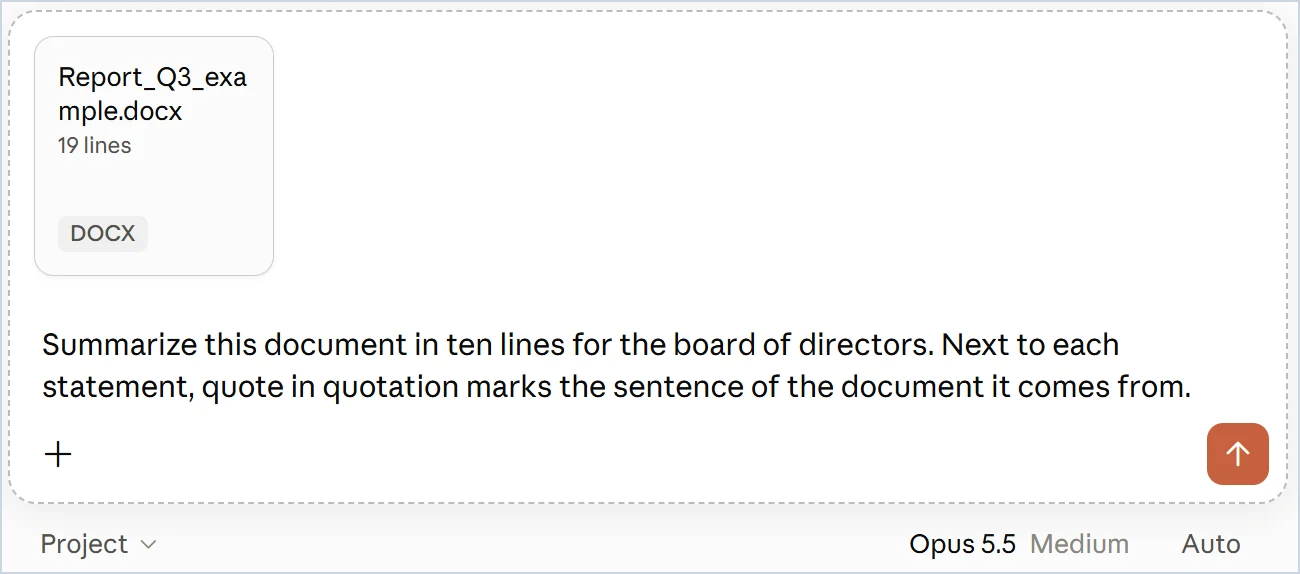
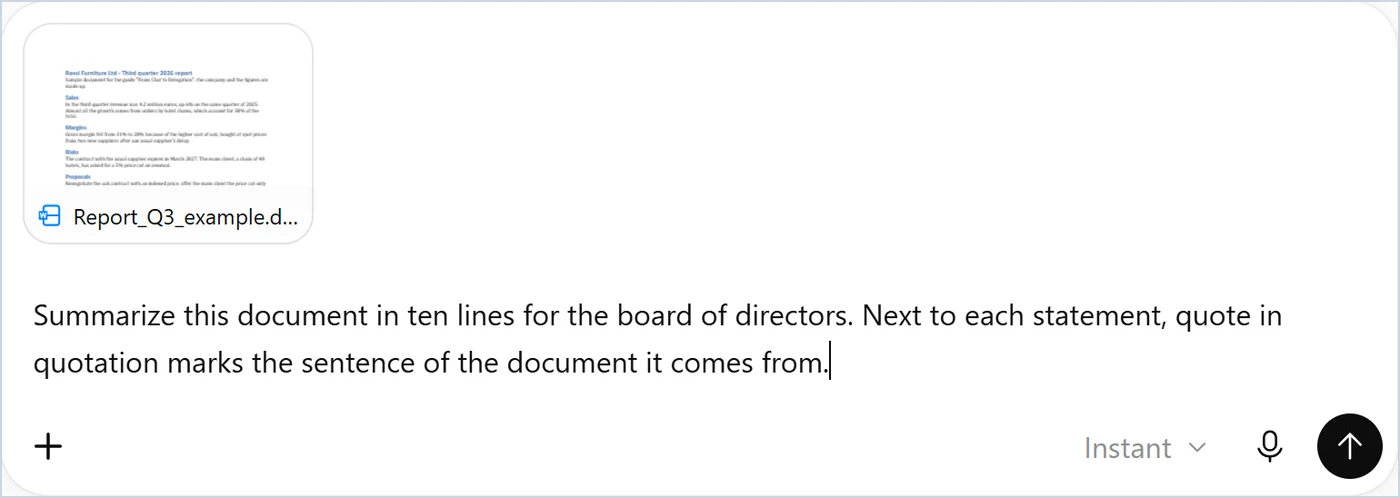
Upload the document and write: "Summarise this document in ten lines for [recipient]. Next to each statement, quote in quotation marks the sentence of the document it comes from."
3. The critical reader
"You are [whoever will read this document with the least sympathy: the committee, the client, the auditor]. Ask me the five hardest questions you would ask me." The questions that put you on the spot are the useful ones.
4. The weak point
"What is the weakest passage in the document, and why? Point to the paragraph." If the answer seems unfair to you, argue with it: that's the training for stage 4.
5. A first check of the quotations
Take two of the sentences the summary put in quotation marks and look for them in the document with the Find function. If one isn't there, the model has attributed to the text something the text doesn't say.
6. Two versions of the same document
A case that comes up often at work: two versions of an agreement, a set of rules, a contract, and the question "what has changed?". Uploading both and asking for the differences works on two pages and lets you down on forty. The model reads the text as a reader does, and in a long text it misses precisely the small differences, one word in a clause, a date, a "by" that has become "after", which are the ones that count.
The way that holds up has two steps. The comparison is done by a program, which skips nothing: in Word, Review > Compare > Compare, choose the old version and the new one, and you get a document in which every difference is marked as a tracked change. Then give that document to the model: "This file contains the tracked changes between two versions. List the changes clause by clause, with the text before and the text after, and for each one tell me in one line what changes in substance. Do not add differences that are not marked." The check is the one from step 5: take three changes from the list and look for them in the compared document.
If you do not have Word, or the two versions are PDFs, the program that compares can be run by the model itself: Claude and ChatGPT execute code in the conversation (stage 5). Upload the two versions and ask: "Compare the two files with a program rather than by reading them: extract the text, find all the differences line by line and give me the complete list, with the text before and the text after. Then, for each one, a line on what changes in substance." The list of differences is produced by the code, which skips nothing; the comment remains the model's. If the answer arrives without the model having run code, it made the comparison by reading: ask it to redo it with the program. And the check is the same: three changes from the list, looked up in the two files.
If the versions are short and a first look is all you need, upload the two versions and ask for a table of the differences. Before using it, count: if the model finds ten and Word twenty, you trust Word.
What you just saw
You saw two different ways in which the model answers, and it is worth pausing on this difference, because it decides how far you can trust an answer.
The first way is remembering. When you ask it a question without giving it anything to read, the model answers with what it absorbed during training, reading an enormous quantity of text. That knowledge sits in its weights, the billions of numbers fixed at the end of training, and it is no archive that can be searched: it is closer to the memory of a very well-read person who has read everything up to a certain date and since then can consult nothing. On common things it is precise. On rare things it reconstructs by similarity, and it does so in the same confident tone as when it is right, because it has no way of telling an exact memory from a plausible one. There is no source to open: the answer is the memory.
The second way is reading. When you give it a document, the text enters the conversation and the model has it in front of it while it answers, word for word, as you do. It has no need to remember: it searches the text and reports. That is why it invents much less, and that is why every statement can be traced back to a specific sentence, which you can open too. The risk moves rather than disappearing: the model can attribute to a point in the document something true that that point does not say, and in long documents it uses the beginning and the end better than the middle part. The verbatim quotations of step 2 are for this: they show you which sentence each statement comes from, and the check in step 5 tells you whether that sentence is really there.
The same goes for what the model looks up on the web or reads in your connected archives (stages 15 and 16): it is reading rather than remembering, and the check is to open the source.
The rule that follows is just one: a fact you really need should be given to the model, with the document or with a search, instead of asking its memory for it. The book explains it in three places, which you'll find below.
In the book. Chapter 9, section 9.6 "The data that do not leave", page 147; chapter 5, section 5.3 "The memory of LLMs", page 98, for the difference between what the model remembers and what it reads; chapter 4, section 4.1 "Adapting a model to your own material", page 84, for the rule "a document to give a fact"; chapter 7, section 7.1 "When AI invents: the problem of hallucinations", page 118, for attribution. The book on Amazon.
On the personal plans (Free, Pro, Max) you decide whether your conversations can be used to train the models: Settings > Privacy, toggle "Help improve our AI models". With it off, new chats are not used for training. Incognito chats are never used for training, even with the toggle on.
On the personal plans the toggle is in Settings > Data controls, under "Improve the model for everyone": with it off, new conversations are not used to train the models. Temporary chats are not used for training and may be kept for up to 30 days for safety reasons. On the Business and Enterprise plans content is not used for training by default. On the free plan file uploads are limited.
With a work account, enterprise data protection applies, shown by the green shield: prompts and responses are not used to train the models, and the files you upload end up in your work OneDrive, where you can delete them. Web searches go through Bing without your name and, except for very short prompts, without the full prompt, and they fall outside the data residency commitments for the European Union. If your organisation has rules on the use of AI, those decide.
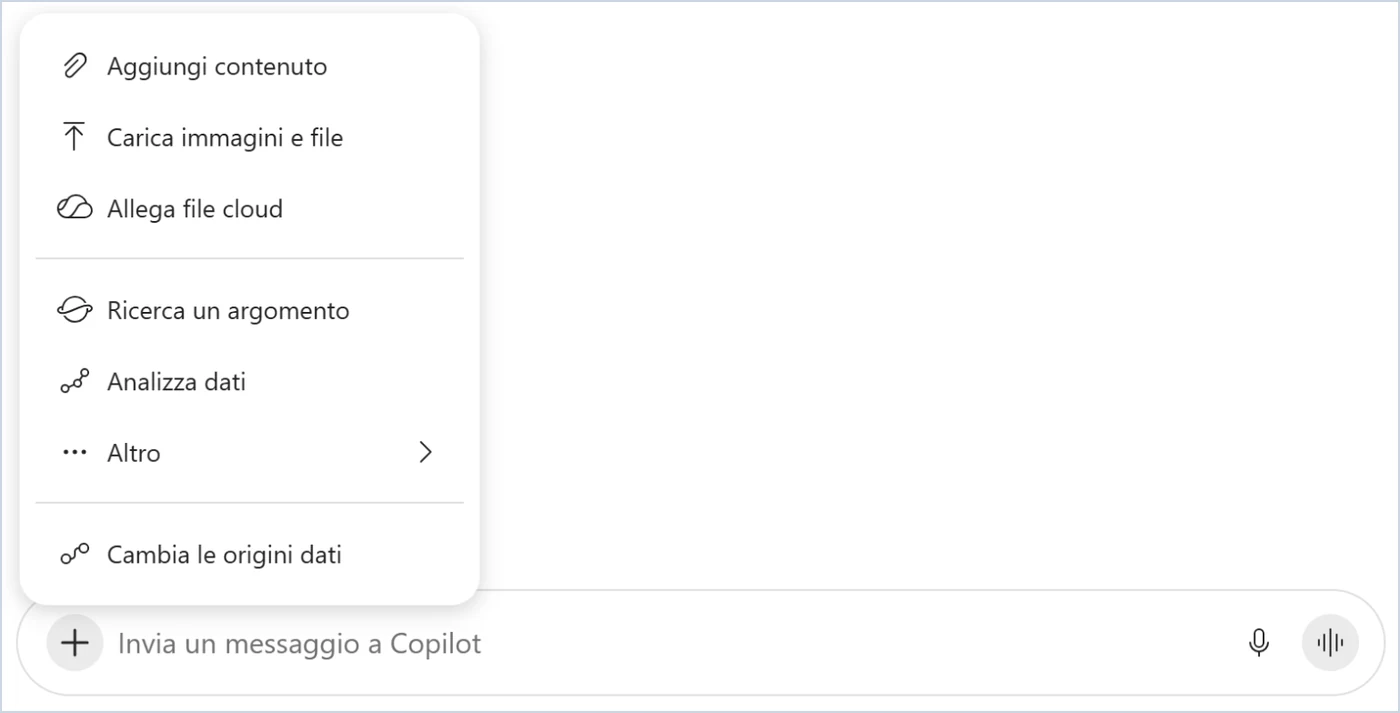
With a Microsoft 365 Copilot licence there is often no need to upload anything. Copilot already works on the OneDrive and SharePoint files you can open: from the chat, "Attach cloud files" points to one without downloading it and uploading it again; inside Word, Copilot works on the open document. The three questions of step 1 still apply: the file stays inside the organisation's Microsoft 365, but the fact that you can open it does not decide whether it belongs in that request.
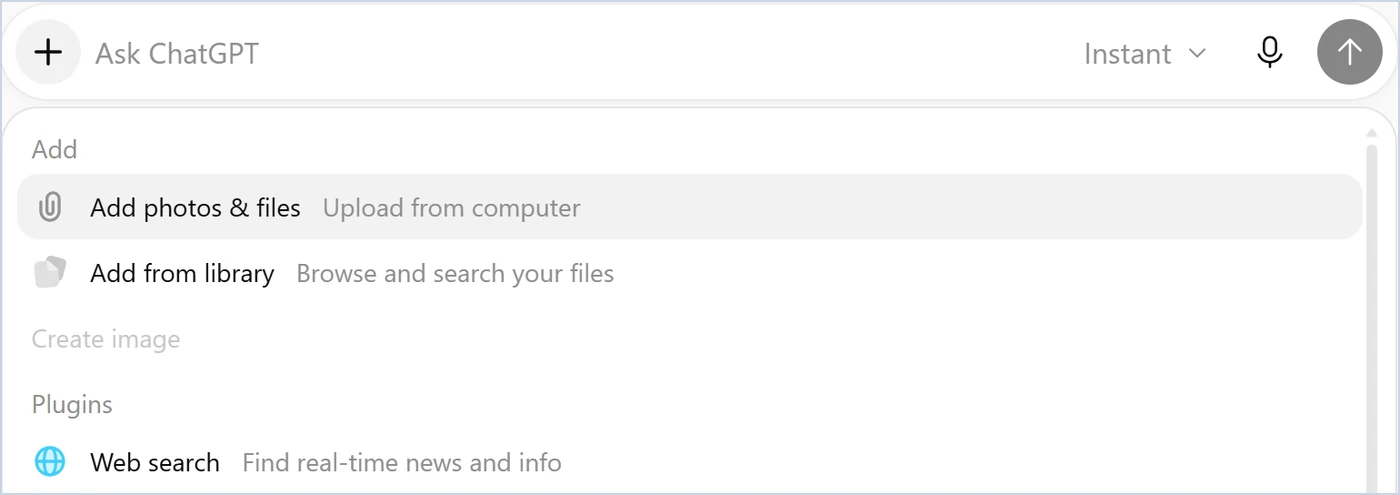
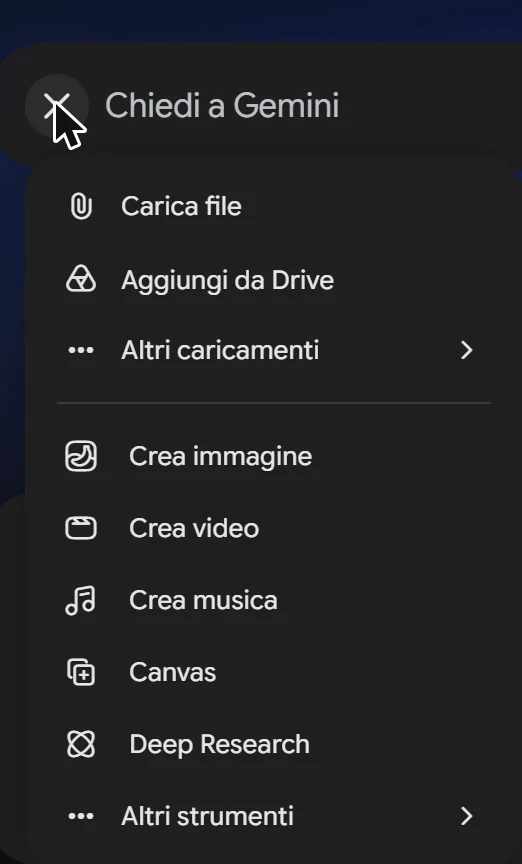
From the "+" on the left of the input box: "Upload files" from your computer, "Add from Drive" from Google Drive. Google's help states up to ten files per request, one hundred megabytes each, up to 1,500 pages of text. The request with the quotations in quotation marks and the check with Find apply just the same.
Where the data go: the toggle is under "Activity", at the bottom of the side menu, which opens the "Gemini Apps Activity" page, item "Keep activity". With it on, the chats and what you upload are saved and Google uses them to improve its services, models included, and a notice on Gemini's home page says that human reviewers can examine some saved chats. With it off, new chats are not used for training and are kept for 72 hours; in exchange the connected apps, such as Drive and Gmail, are not available. With a work or school account the organisation's rules apply.